Volatility Traces
Overview
This investigation focused on analyzing a Windows memory dump using Volatility to identify suspicious processes, persistence mechanisms, defense evasion activity, and the user account associated with malicious behavior.
Only three plugins were required: windows.psscan, windows.cmdline, and windows.getsids. The analysis revealed malicious PowerShell execution, antivirus exclusions being added, and suspicious executables linked to a specific user account.
Evidence Source
| Artifact | Detail |
|---|---|
| Memory Image | memory.dmp |
| Tool | Volatility 3 |
Step 1 — Identify Suspicious Parent Process
Running windows.psscan against the memory dump revealed the process hierarchy. One executable stood out — it had spawned two child PowerShell processes, which is uncommon for legitimate software.
python3 vol.py -f memory.dmp windows.psscan
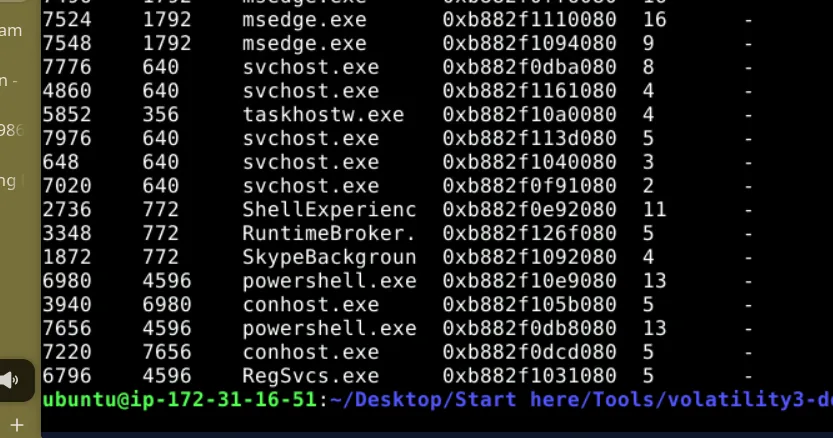
The parent process was suspicious by name alone — a document-themed executable with no legitimate reason to be spawning PowerShell children.
Step 2 — Analyze Process Command Lines
With the suspicious parent identified, windows.cmdline was used to extract the full command line arguments of all running processes. This is where attacker intent becomes clear.
python3 vol.py -f memory.dmp windows.cmdline

Both PowerShell processes were launched with parameters targeting Windows Defender’s exclusion list using Add-MpPreference with -ExclusionPath. This is a well-known defense evasion pattern — the malware is carving out a safe zone for itself before executing its payload.
A secondary executable was also identified as active under the same parent — a persistence mechanism designed to survive reboots.
Step 3 — Map to MITRE ATT&CK
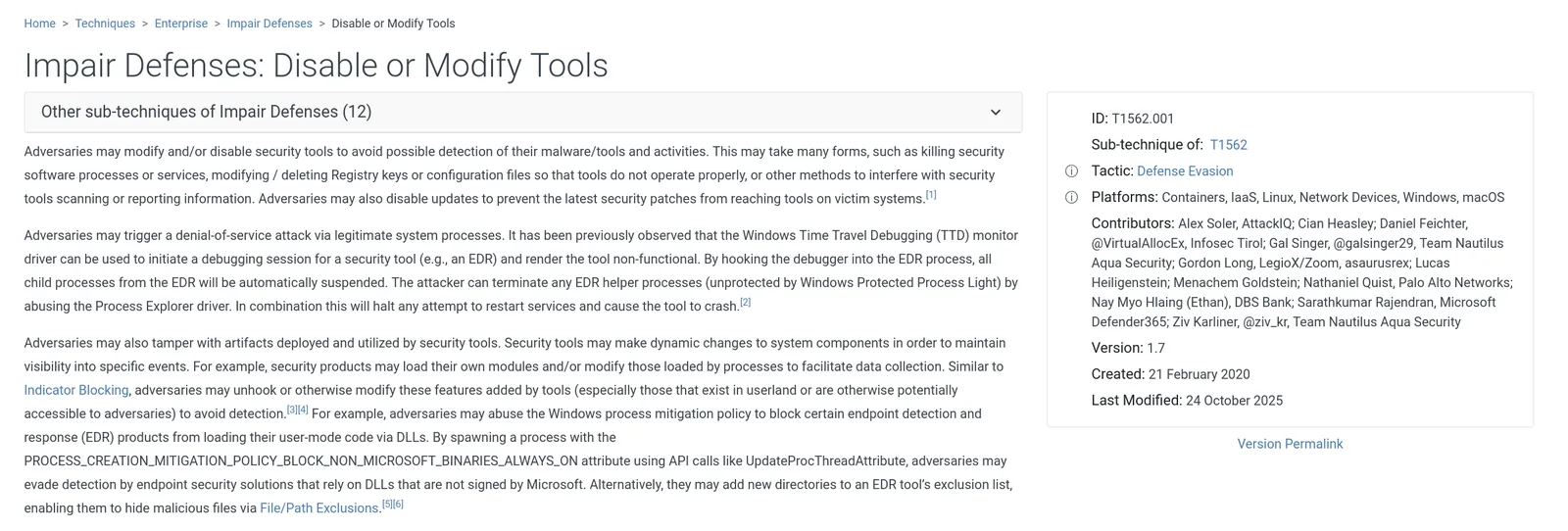
The PowerShell activity maps directly to a specific sub-technique. Modifying antivirus exclusion settings falls under Impair Defenses — the adversary is not disabling AV entirely (which would alert), but surgically excluding their own tools from scanning.
Step 4 — Identify Associated User Account
The final step linked the malicious processes to a local user account using windows.getsids, filtering for PowerShell processes. The SID mapping revealed which account the attacker was operating under.
python3 vol.py -f memory.dmp windows.getsids | grep -i powershell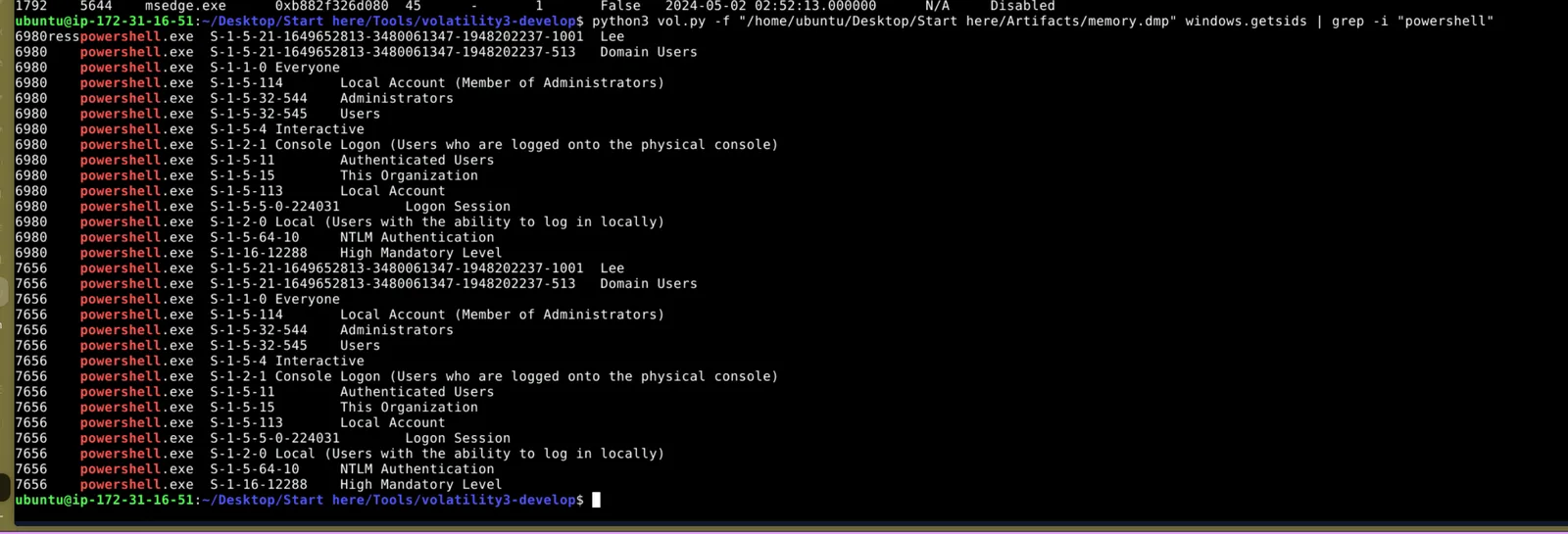
IOCs
| Type | Value |
|---|---|
| Suspicious Parent (PID 4596) | InvoiceCheckList.exe |
| Persistence Executable | HcdmIYYf.exe |
| Child Processes | powershell.exe ×2 |
| Additional Process (PID 4596) | RegSvcs.exe |
| Associated User | Lee |
| MITRE Technique | T1562.001 |
Lessons Learned
psscan scans physical memory directly — it catches processes unlinked from the standard process list to evade detection. cmdline reveals attacker intent more clearly than any other artifact; the PowerShell parameters here told the whole story. Pairing getsids with process filtering is an efficient way to pivot from process to user context.
The use of Add-MpPreference as a defense evasion technique is worth adding to your detection playbook — it is legitimate PowerShell, which means it rarely triggers alerts on its own. Behavioral detection (PowerShell spawned from a document-themed executable) is the more reliable signal.
The investigation successfully identified the malicious process chain, persistence mechanism, defense evasion technique, and associated user account using three focused Volatility plugins. A narrow, methodical approach was more effective than running every available plugin.